Manual task sorting gives you full control over your task priorities.
Why Manual Task Sorting Matters
Most task managers sort your list automatically by due date, priority, or alphabetical order. But sometimes you need more control. Manual task sorting lets you arrange tasks in the exact order you plan to work on them, regardless of their other attributes. This is especially useful when you are managing a complex project with dependencies, or when your priorities shift throughout the day.
How to Use Manual Task Sorting in Toodledo
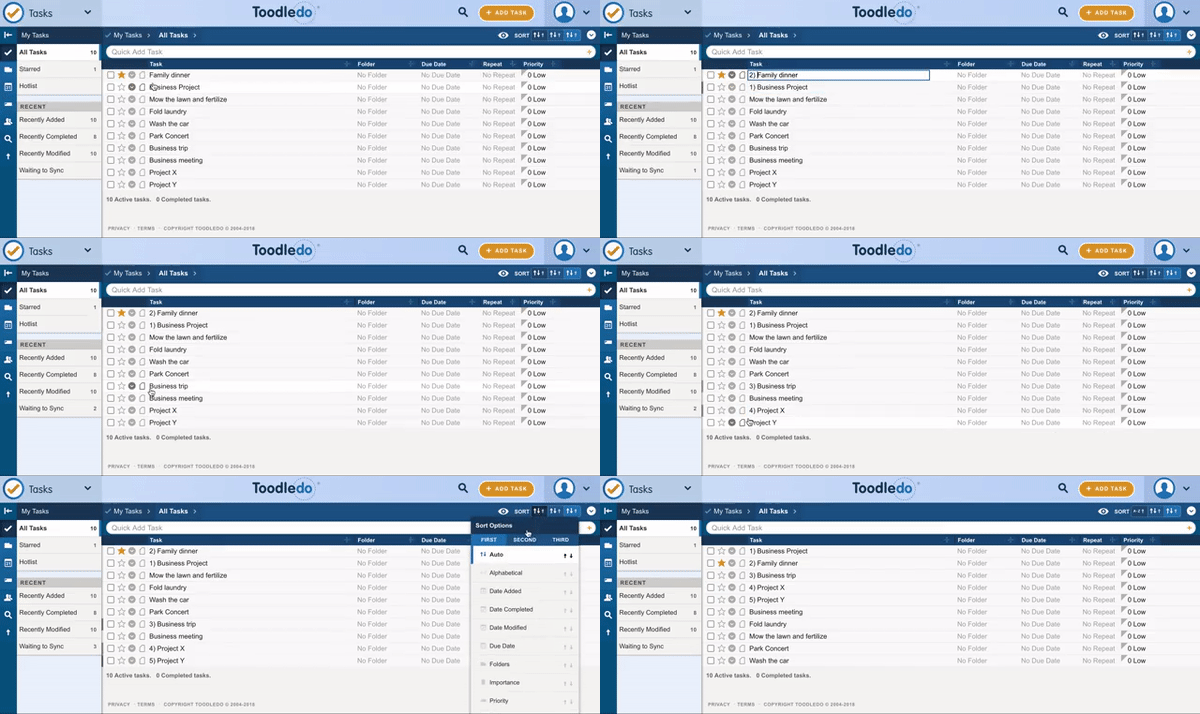
The first method is to add a number prefix to each task name. For instance, naming tasks “01 – Review proposal” and “02 – Send follow-up email” ensures they appear in your preferred order when you sort alphabetically. This approach works well for small lists where you want full control over sequencing.
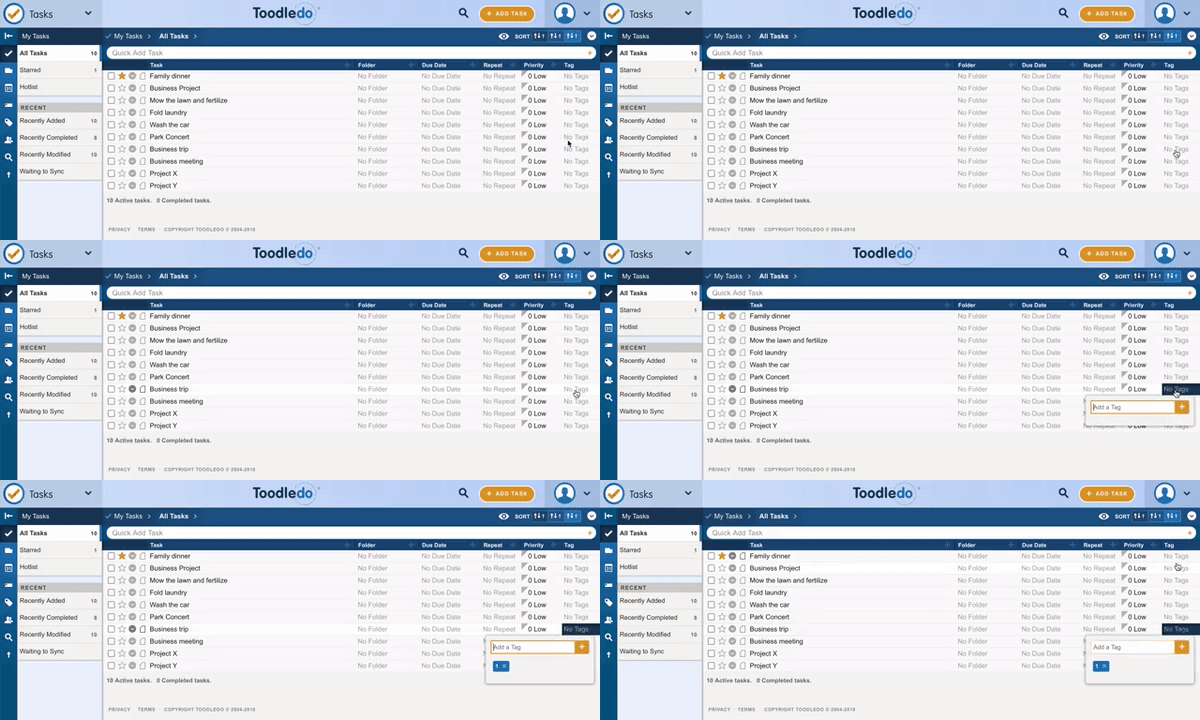
The second method uses Toodledo tags. Assign a numeric tag to each task and then sort your list by tag. This keeps your task names clean while still giving you manual control over the display order. You can also combine tags with folders for even more granular organization.
Tips for Effective Manual Task Sorting
Whichever method you choose, consistency is key. Re-sort your list at the start of each day or during your weekly review to keep it aligned with your current priorities. If you find yourself constantly rearranging, consider whether your sorting criteria need to change. As David Allen’s Getting Things Done methodology suggests, trusted systems reduce mental friction and help you focus on doing rather than deciding.
Related reading: How to Build a Weekly Review Habit That Actually S and January 2019 Monthly Update.