

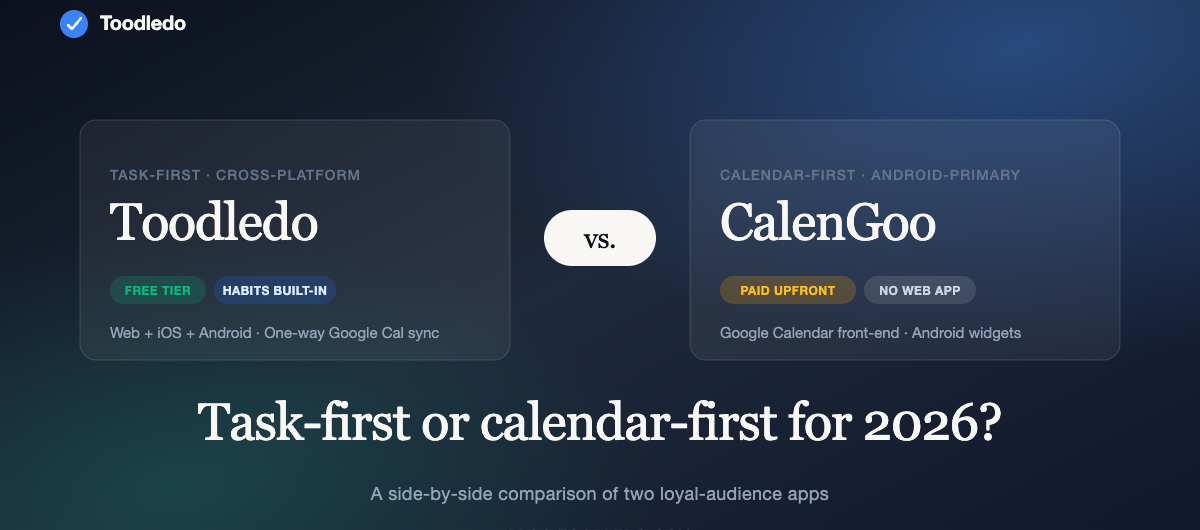
TL;DR — Toodledo vs. CalenGoo in 2026:
- Choose CalenGoo if you want the best dedicated Google Calendar front-end on Android with polished widgets and a one-time purchase model (~$6.99 on Google Play, Android-only, no web app).
- Choose Toodledo if your day is driven by tasks, habits, and deadlines rather than calendar events — and you need cross-platform access (web + iOS + Android), one-way Google Calendar sync, and a free tier.
- Migration path: CalenGoo is primarily calendar-focused, so the migration is about moving your tasks (not your events) into Toodledo and keeping Google Calendar itself as your event source of truth. 30–60 minutes.
- Also comparing Pocket Informant? See our Toodledo vs. Pocket Informant comparison.
CalenGoo has been a mainstay for Google Calendar + task users on Android for over a decade. If you came up in the era of syncing your Google Calendar to a beautiful, customizable Android front-end, CalenGoo was probably your app.
But by 2026, the productivity landscape has shifted. Calendar apps and task apps are converging, Android-first apps are becoming multi-platform, and users increasingly want their tools to work on web, iOS, Android, and desktop — not just one OS.
Toodledo took a different path: task-first, multi-platform from the start, and with calendar sync as a feature rather than the main event. Here’s how the two compare for 2026, and how to think about which is right for you.
At-a-glance
| Toodledo | CalenGoo | |
|---|---|---|
| Primary focus | Tasks, subtasks, habits | Google Calendar front-end + tasks |
| Platforms | Web, iOS, Android, Chrome extension | Android (primary), iOS |
| Free tier | Yes, full-featured | Paid app |
| Pricing | Free / $3.99/mo / $5.99/mo / Business | One-time purchase or paid upgrade |
| Google Calendar sync | Yes (Standard tier +) | Native — this is the core of the app |
| Tasks | Full task manager (subtasks, folders, contexts, tags, habits) | Google Tasks + Toodledo integration (historically) |
| Subtasks | Yes, nested | Limited |
| Habits tracking | Built-in | Not available |
| Recurring tasks | Extensive custom logic | Google Calendar-based |
| Collaboration | Yes (Plus tier, up to 5) | Limited |
| Web app | Yes, full-featured | No |
| Offline | Yes (iOS/Android) | Yes |
| Data export | CSV/JSON any time | Via Google |
What CalenGoo does really well
CalenGoo is a Google Calendar front-end with task features layered on top. If you live in Google Calendar and want a more polished, customizable Android interface than the stock Google Calendar app — with colors, views, widgets, and a sophisticated recurring-event UI — CalenGoo excels at that specific use case.
It’s particularly good at: – Week and month view customization – Android widget richness – Quick event entry with natural-language parsing – Multi-calendar color coding – Google Tasks sync (historically also Toodledo sync)
Where CalenGoo falls short for modern users
CalenGoo is fundamentally a calendar app with task features, not the other way around. If your work is primarily about getting tasks done — not about time-blocking a packed calendar — the app’s center of gravity works against you.
Other significant gaps in 2026: – No full web app. Task list lives on your phone primarily – Limited task model. Relies on Google Tasks (which is simple by design) or external integrations – No habits or weekly review features – Platform risk. CalenGoo’s pace of development has slowed relative to task-first apps investing in 2026-era features
What Toodledo does really well
Toodledo is task-first. Calendar is a feature, not the foundation. That inverted focus makes a meaningful difference if you’re trying to get things done, not just see your week.
Strengths: – Flat, flexible task model. Default is one list. You can layer on folders, contexts, tags, priorities, start/due dates as you need them — or never use them. – Subtasks that behave like tasks. Not just checkbox items; each subtask has its own dates, priorities, and can recur. – Recurring logic. Some of the most sophisticated recurring-task rules in any productivity app. Skip holidays, reset on completion only, custom intervals. – Habits built in. No separate app needed. 5 habits on Free, 20 on Plus, 100 on Plus+. – Cross-platform parity. iOS, Android, a full web app, and a Chrome extension. You don’t lose features when you switch devices. – Google Calendar sync. One-way sync from Toodledo tasks with due dates → Google Calendar, on the Standard tier and above. Combined with Google Calendar’s own scheduling, you get the best of both worlds. – Twenty years of refinement. Toodledo has been around since 2004. The features exist because real users asked for them over years.
Where Toodledo falls short
If your workflow is primarily “drag events around the calendar” and tasks are incidental, Toodledo is not the right app — you want CalenGoo or Fantastical or Apple Calendar. Toodledo’s calendar integration is one-way and intentionally simple.
No native desktop app for macOS or Windows — the web app fills that role.
Pricing comparison (2026)
Toodledo: – Free tier — full task management, 10 folders, 30 items per list, 5 habits – Standard — $3.99/mo annually ($47.88/yr) — Google Calendar sync, subtasks, unlimited folders – Plus — $5.99/mo annually ($71.88/yr) — scheduler, collaboration, full habits – Business — contact sales
CalenGoo: – One-time purchase (Android: ~$5.99 historical pricing; iOS: varies). Some features locked behind subscription in recent versions. – Google Calendar Premium features require separate Google Workspace subscription.
Toodledo is more expensive at face value, but includes a full task system, habits, web access, and collaboration. CalenGoo is cheaper but is focused on calendar-front-end use only; adding task features typically means adding other apps (Google Tasks, Todoist, etc.).
Who should pick which?
Pick CalenGoo if: – You live in Google Calendar and your Android phone is your primary device – You need a polished, customizable calendar front-end – Tasks are a secondary concern — you mostly just want reminders – You don’t need a web app or strong task/habit features
Pick Toodledo if: – Your day is tasks and habits, with calendar as supporting context – You work across iOS, Android, and web – You want subtasks, tags, contexts, and powerful recurring rules – You track habits alongside tasks – You want one-way Google Calendar sync for deadline visibility without the app being primarily a calendar – You want a tool that’s actively invested in modernization through 2026 and beyond
How to migrate from CalenGoo to Toodledo
Most of what you had in CalenGoo is actually in Google — so the migration is lighter than it sounds:
- Keep Google Calendar. Your events stay in Google. Toodledo will sync with Google Calendar from the Standard tier; no migration needed for events.
- Export Google Tasks (if you used them via CalenGoo). Google Takeout → Tasks → download as JSON. Convert to CSV using a free online tool, then import to Toodledo via Tools → Import → CSV.
- Set up Toodledo’s Google Calendar sync. Settings → Integrations → Google Calendar → authorize. Your Toodledo tasks with due dates will appear on your Google Calendar alongside your events.
- Rebuild custom views in Toodledo. If you relied on CalenGoo’s custom calendar views, set up Toodledo saved searches (Today, This Week, Next Action) to recreate those mental models.
- Try habits. If you’ve been relying on separate habit-tracking apps alongside CalenGoo, migrate those to Toodledo’s habits feature — one app, one place.
- Install Toodledo on all your devices. iOS, Android, web, Chrome extension. Your tasks follow you everywhere.
Plan 30–60 minutes for setup. No task re-entry from scratch unless you had heavy reliance on Google Tasks.
Bottom line
If you want a calendar app that’s better than Google’s default, CalenGoo has been (and still is) a great choice. But if what you actually need is a full task and habit manager that also knows how to talk to your calendar, Toodledo is the better investment for 2026 — especially given its active development, cross-platform parity, and decades of feature refinement.
You can try Toodledo for free with no credit card, and import your Google Tasks on day one.
Frequently asked questions
Q: Will my Google Calendar events show up in Toodledo? A: With Google Calendar sync enabled (Standard tier +), your Toodledo tasks with due dates appear on your Google Calendar. Event-to-task sync in the other direction isn’t supported — that’s intentional, since tasks and events are different concepts in Toodledo.
Q: Can I replace CalenGoo with just Toodledo? A: If CalenGoo is primarily your calendar app, you’ll still want a calendar app. Toodledo + Google Calendar (or Apple Calendar, or Fantastical) is the typical replacement. The combination gives you better task features than CalenGoo + a cleaner calendar experience than most single apps.
Q: What happens to my Google Tasks? A: Export via Google Takeout → convert to CSV → import to Toodledo. Takes about 10 minutes for most users.
Q: Is Toodledo free forever, or is the free tier time-limited? A: Free forever. The Free tier caps are on volume (30 items per list, 10 folders, 5 habits), not on time.
Q: Does Toodledo have an Android widget? A: Yes, Android widgets are available showing today’s tasks, overdue items, and quick-add.