

TL;DR — Toodledo vs. Pocket Informant in 2026:
- Choose Pocket Informant if you live 100% in the Apple ecosystem and your day is built around calendar events with tasks attached (~$39.99/year subscription, iOS/macOS only).
- Choose Toodledo if your day is built around tasks with deadlines, you need web + Android access, or you want a free tier with upgrade paths ($0 / $3.99 / $5.99 / $9.95 per month).
- Migration path: CSV export from Pocket Informant → CSV import into Toodledo takes 1–2 hours for under 500 tasks. Recurring rules need to be recreated manually.
- Also comparing CalenGoo? See our Toodledo vs. CalenGoo comparison.
If you’re looking at Pocket Informant or Toodledo to manage your tasks and calendar in 2026, you’re not alone. Both apps have long, loyal followings among productivity enthusiasts, and both survived the era when simpler, flashier apps tried to take over task management.
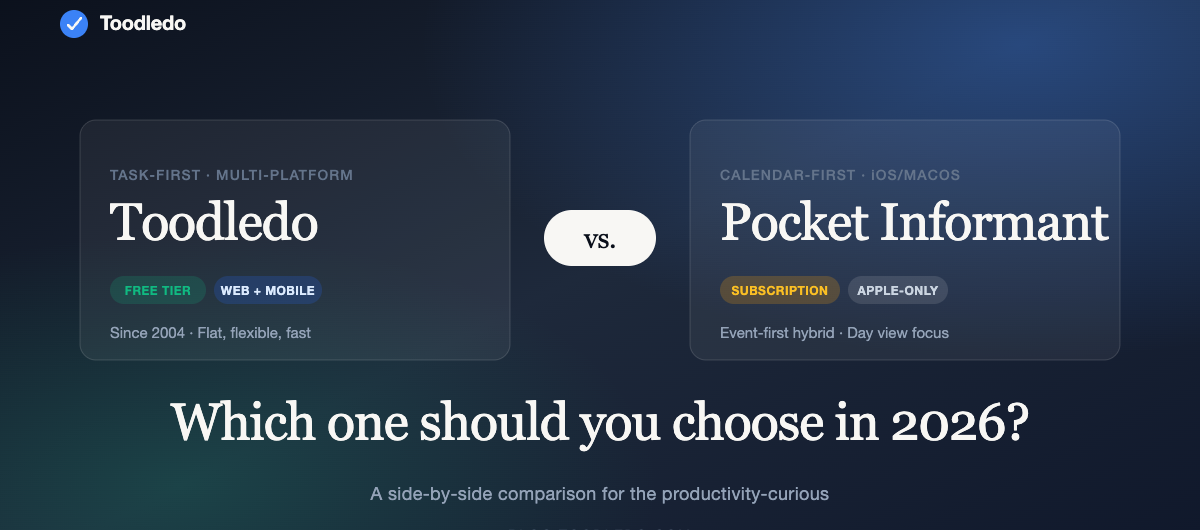
But the two apps have diverged significantly over the years. Pocket Informant became a combined calendar-and-task app with deep iOS integrations. Toodledo stayed task-first, with a flat, flexible structure that bends to GTD, bullet journaling, weekly reviews, or whatever system you’ve built over time.
This comparison walks through what’s actually different in 2026, what each app does best, and how to migrate if you’re switching.
At-a-glance comparison
| Toodledo | Pocket Informant | |
|---|---|---|
| Platform | Web, iOS, Android, Chrome extension | iOS, macOS (historical: Windows/Android via older versions) |
| Primary focus | Tasks, subtasks, notes, habits | Calendar + tasks combined |
| Pricing (2026) | Free · $3.99/mo · $5.99/mo · Team/Business | Subscription required for full features; pricing varies by platform |
| Data model | Tasks + subtasks + folders + contexts + tags | Events + tasks + projects |
| Subtasks | Yes (up to 4 levels on Plus) | Yes |
| Recurring tasks | Extensive — custom schedules, skip dates, per-status recurrence | Yes |
| Custom fields | Folders, contexts, tags, statuses, priorities, start dates | Calendars, task lists, priority |
| Collaboration | Up to 5 collaborators on Plus; team/Business tiers | Calendar sharing only |
| Habits tracking | Built-in (5 Free, 20 Plus, 100 Plus+) | Not a primary feature |
| API / Integrations | Public API; Google Calendar sync; Zapier via HTTP | Google Calendar, iCloud, Exchange sync |
| Migration import | Import from CSV, Todoist, Outlook, Google Tasks | Limited import |
| Free tier | Yes, full-featured enough for personal use | Limited free tier |
| Web app | Yes, full-featured | No |
| Backup & export | Full CSV / JSON export at any time | Backup via iCloud/Exchange |
What Pocket Informant does really well
Pocket Informant is, at heart, an integrated calendar + task app. If you live and work in iOS/macOS and you want to see your day’s events and tasks side by side on the same screen, it excels at that. The Day View on iPad is particularly polished — tap a task, drag it to a time slot, and it becomes a calendar event. For people whose work is 70% meetings and 30% tasks interleaved, that model is powerful.
The iOS-native feel is another strength. It integrates with iCloud calendars, Exchange, Google, and handles timezone edge cases better than most web apps. If you’re deep in the Apple ecosystem and need a single tool that shows you when things are happening AND what else you need to do, Pocket Informant’s hybrid model is its differentiator.
Where Pocket Informant falls short for task-first users
If your day is tasks you knock down one by one — rather than calendar events you’re shuffling — Pocket Informant can feel heavy. The calendar-and-task view adds visual overhead that task-first users don’t need. And because the app is primarily iOS/macOS, teammates on Android, Linux, or Chrome-first web workflows can’t collaborate cleanly.
The other significant constraint: cross-platform parity. Historical Android and Windows versions aged out, and the current 2026 product is Apple-centric. If you work across devices, that’s a hard limiter.
What Toodledo does really well
Toodledo is task-first, flat, and flexible. You can add a task in two taps. You can stack subtasks under it. You can tag it, put it in a folder, give it a context, a priority, a start date, a due date, and recurring rules that account for calendar skips. But you don’t have to do any of that — the default experience is one list, nothing fancy.
Where Toodledo pulls ahead for power users: – Subtask depth. Real nested tasks with their own due dates and priorities. Plus tier goes 4 levels deep. – Recurring tasks. Probably the most sophisticated recurring-task logic of any productivity app still on the market. “Every 3 months on the last Friday, skip holidays, reset only on completion.” It handles all of that. – Saved searches & custom filters. Build a view once; pin it; revisit it from any device. – Cross-platform, including web. iOS, Android, a full web app (not an afterthought), and a Chrome extension. Whatever device you’re on, you’re in the same Toodledo. – Habits & weekly review built-in. No separate app required. – Long memory. Toodledo has been around since 2004. Data portability is baked in. Full CSV/JSON export any time; your tasks are yours.
Where Toodledo falls short
If you want your calendar and tasks blended into a single day view with visual time blocks, Toodledo is not that. It syncs with Google Calendar (one-way, Plus tier), but if “tasks as calendar events” is the core of how you work, Pocket Informant handles that better.
Toodledo also doesn’t have native macOS or Apple Watch apps the way Pocket Informant does. The web app on macOS works fine — and the iOS app is solid — but there’s no dedicated desktop app.
Pricing comparison (2026)
Toodledo: – Free — full task management, 10 folders, 30 items per list, 5 habits, 1 week history – Standard — $3.99/mo (annual) / $4.99/mo (monthly) — unlimited folders, Google Calendar sync, subtasks, graphs – Plus — $5.99/mo (annual) / $7.99/mo (monthly) — 10GB storage, file uploads, scheduler, up to 5 collaborators, full habits – Business — contact sales
Pocket Informant: – Subscription required for full feature set. 2026 pricing varies by App Store region; historically ~$14.99 to $29.99/year depending on tier and promotions. Direct comparison requires checking the current App Store listing.
For a solo power user who wants deep task features, Toodledo Plus ($5.99/mo annual = $71.88/yr) typically lands close to Pocket Informant’s annual subscription while offering the web app, Android, and habits tracking that Pocket Informant doesn’t.
Who should pick which?
Pick Pocket Informant if: – You live 100% in the Apple ecosystem – Your day is a tight interleaving of calendar events and tasks – You rarely collaborate with others on tasks – You want a single “day view” showing events and tasks together
Pick Toodledo if: – You want a task-first app that doesn’t fight you – You work across iOS, Android, and web – You have complex recurring tasks – You want subtasks that behave like real tasks, not just checkboxes – You want habits and weekly reviews built in – You need to export or migrate data easily later – You want a free tier that’s actually usable long-term
How to migrate from Pocket Informant to Toodledo
If you’re moving, here’s the practical path:
- Export from Pocket Informant. Most versions let you export tasks to CSV, or sync to iCloud/Google Calendar and then export from there.
- Clean the CSV. You’ll typically get columns for Title, Notes, Priority, Due Date, Tags. Map them to Toodledo’s format: Task, Note, Priority, Due, Tag.
- Import to Toodledo. Tools → Import → CSV. Toodledo’s importer will map the standard columns automatically; review the preview before committing.
- Rebuild calendars. If you used Pocket Informant as a calendar, keep Google Calendar or iCloud as your calendar source and connect it to Toodledo via the Plus tier’s Google Calendar sync.
- Audit recurring tasks. Recurring rules rarely survive CSV export intact. Plan 30–45 minutes to recreate them inside Toodledo. The good news: Toodledo’s recurring options are more powerful, so the ones you rebuild will be more precise.
- Rebuild saved searches & filters. Use the custom filter builder to recreate the “today” / “this week” / “next action” views you relied on.
Plan 1–2 hours total for the migration if you have under 500 tasks. Above that, budget half a day.
Bottom line
If calendar-and-task blending is the core of your workflow and you’re all-Apple, Pocket Informant is the right choice. If you want a flexible, task-first app that works on every device you own, handles complex recurring tasks better than anyone else, and lets you own your data, Toodledo is almost certainly a better fit — and for ~$72/year, a fair price for an app that’s been refined for two decades.
Try Toodledo free at toodledo.com. No credit card needed to start, and you can import your existing tasks on day one.
Frequently asked questions
Q: Is Toodledo still being actively developed in 2026? A: Yes. Toodledo came under new ownership in 2021 with a focus on modernization, improved sync, and mobile app updates.
Q: Can I use Toodledo offline? A: Yes — the iOS and Android apps work offline and sync when you reconnect. The web app requires a connection.
Q: Will my Pocket Informant recurring tasks import correctly? A: Recurring rules rarely survive CSV export. Plan to recreate them manually in Toodledo after import. Toodledo’s recurring logic is more precise, so the result is usually better.
Q: Does Toodledo sync with Google Calendar? A: Yes, on the Standard tier and above.
Q: Can I share tasks with my team? A: Yes, on Plus tier (up to 5 collaborators) or Business tier (more).
Q: What’s the free tier missing? A: The free tier is full-featured for personal task management — it’s capped on items per list (30) and folders (10), which works for most single-user cases. Subtasks, Google Calendar sync, habits beyond 5, and collaboration require paid tiers.