.jpg?width=1000&height=162&name=toodledo_logo%20(1).jpg "toodledo_logo (1)")
Everything You Need to Know About Unified Workspaces
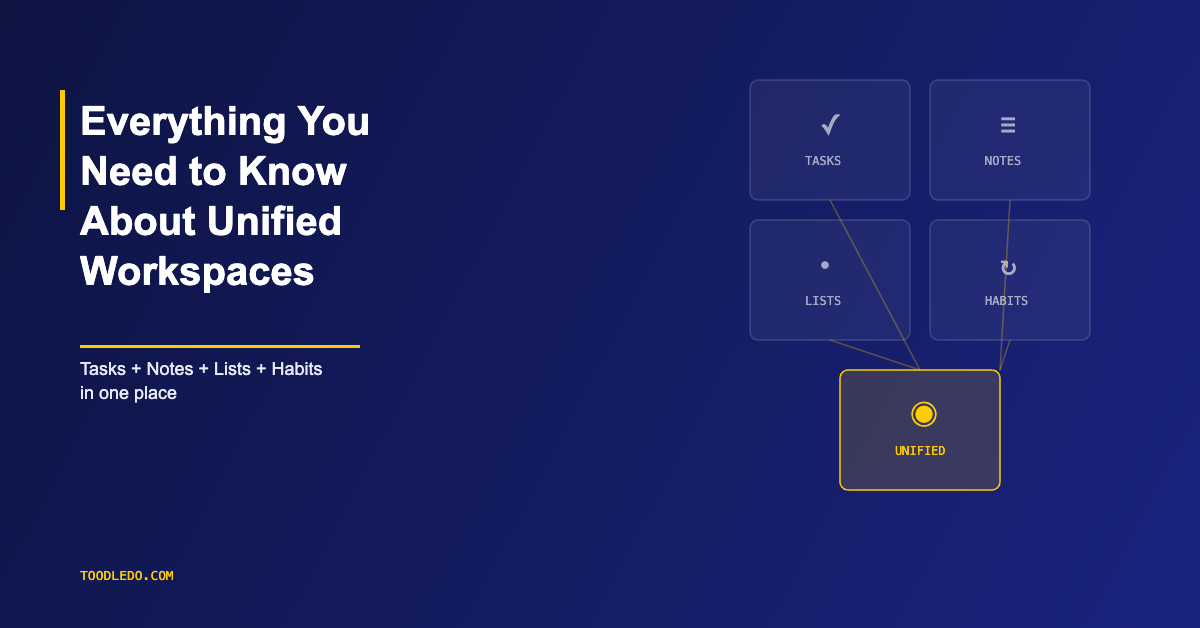
A unified workspace combines task management, notes, lists, and organizational tools in a single application. Instead of using one app for tasks, another for notes, a third for lists, and a fourth for habits, a unified workspace puts everything in one place.
What Is a Unified Workspace?
The concept isn't new — people have been combining planners, notebooks, and calendars in physical formats for decades. Digital unified workspaces bring the same principle online, with the added benefit of search, filters, and sync across devices.
Why Unified Workspaces Exist
The average knowledge worker uses 9 to 11 apps daily. Each app switch costs 20-30 seconds of re-orientation — not just clicking, but mentally shifting contexts. Over a day, these switches add up to measurable lost productivity.
More importantly, scattered tools create information gaps. A task in one app references a note in another, which links to a document in a third. When you need the full picture, you're assembling it from fragments across multiple logins.
Unified workspaces solve this by keeping related information together. Your task and its supporting notes, reference material, and context live in the same place.
What a Unified Workspace Should Include
Tasks With Depth
Not just titles and checkboxes. A unified workspace needs tasks with due dates, priorities, subtasks, recurring patterns, custom fields, and rich notes. Toodledo exemplifies this — every task can carry detailed notes, multiple subtask levels, complex recurrence, and custom metadata without needing a separate project management tool.
Notes That Connect to Tasks
Notes and tasks shouldn't be separate systems. Meeting notes should link to the tasks they generate. Project briefs should live where the project's tasks live. When notes and tasks are in the same workspace, you don't lose the "why" behind the "what."
Lists and Outlines
Not everything is a task. Shopping lists, reference lists, brainstorm outlines, and checklists need a home too. A unified workspace includes list and outline tools that complement (not compete with) the task system.
Habits and Routines
Daily routines — exercise, reading, review rituals — are different from tasks. They don't have due dates or completion states in the traditional sense. Unified workspaces that include habit tracking let you manage both project work and personal development in one view.
Flexible Organization
Folders, tags, contexts, and custom fields let you organize work the way your brain works, not the way the app was designed. The best unified workspaces offer multiple organizational dimensions so you can view the same data from different angles.
What a Unified Workspace Is Not
A unified workspace is not a project management suite. It doesn't need Gantt charts, resource allocation, or sprint boards. Those tools solve team coordination problems. A unified workspace solves the individual's problem of keeping their work, ideas, and information organized and accessible.
It's also not an "everything app" that tries to replace email, chat, and documents. The best unified workspaces stay focused on personal and small-team productivity — tasks, notes, lists, and habits — and integrate with communication tools rather than replacing them.
Who Benefits Most
Freelancers and Solo Professionals
Solo workers manage everything themselves: client work, invoicing, business development, personal tasks. A unified workspace keeps all of this in one app with one login and one search. Toodledo's combination of tasks, notes, lists, and outlines makes it a natural fit for freelancers who need depth without team overhead.
Small Teams
Teams of 2-10 people often over-tool. They adopt a project management platform, a note-taking app, a wiki, a task tool, and a habit tracker — then spend more time maintaining the stack than doing the work. A unified workspace with folder-level sharing covers most of what these teams need.
Students and Academics
Course assignments, research notes, reading lists, and study habits all need tracking. A unified workspace keeps academic work organized across courses and semesters without separate apps for each function.
How to Evaluate a Unified Workspace
Five questions that separate strong unified workspaces from repackaged to-do lists:
Can you search across everything? One search should surface tasks, notes, and lists. If you have to search each section separately, it's not unified.
Do tasks support real complexity? Subtasks with dates, recurring patterns, custom fields, priorities — not just a title and a checkbox.
Does it work offline? A unified workspace you can't access without Wi-Fi isn't truly your workspace — it's a website you visit.
Can you organize multiple ways? Folders, tags, contexts, saved searches — the ability to view the same data from different angles matters as your system grows.
Is data portable? Export to CSV, JSON, or XML. Your system is your operational history; you need to own it.
The Trade-Off
Unified workspaces trade best-in-class specialization for coherence. A dedicated note app might have better formatting. A dedicated task app might have a slicker interface. But the benefit of having everything in one place — no context switching, no information gaps, one system to maintain — outweighs marginal feature differences for most people.
Toodledo represents this trade-off well: tasks with full depth, notes, lists, outlines, and habits in a single platform that works across devices and offline. Not the flashiest tool in any single category, but the most complete for people who want one workspace that handles everything.